Clinician view preview
A useful record for your doctor
Review graphs, daily totals, and detailed entries in one report. When you are ready, save a PDF or send your doctor a read-only link to the data you choose to share.
Link sharing requires a signed-in, synced account. Choose the days and notes to include, set an optional expiry, and revoke access when you want.
Example screens · sample data. These slightly faded screenshots show what each section can contain. They are not interactive and do not show your diary. Your own report will use the entries and dates you select.
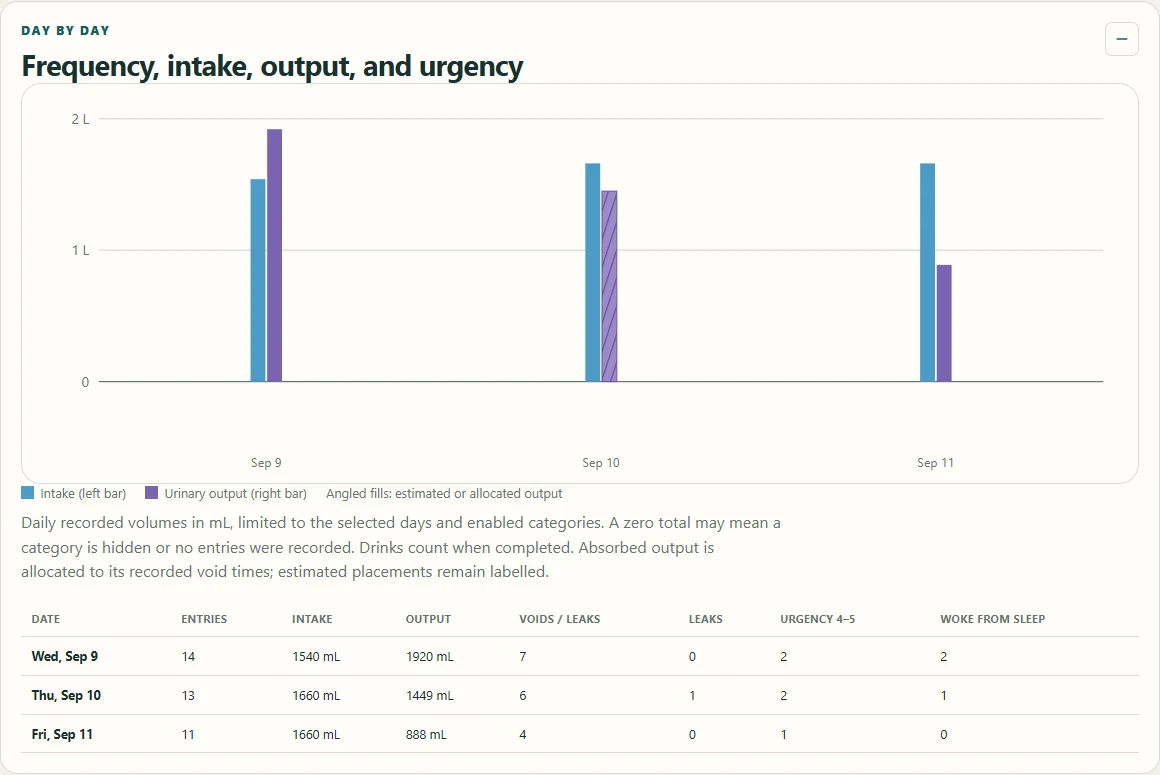
A graph and a day-by-day table
A graph and table bring each day's intake, output, frequency, and urgency together for a conversation with your doctor.
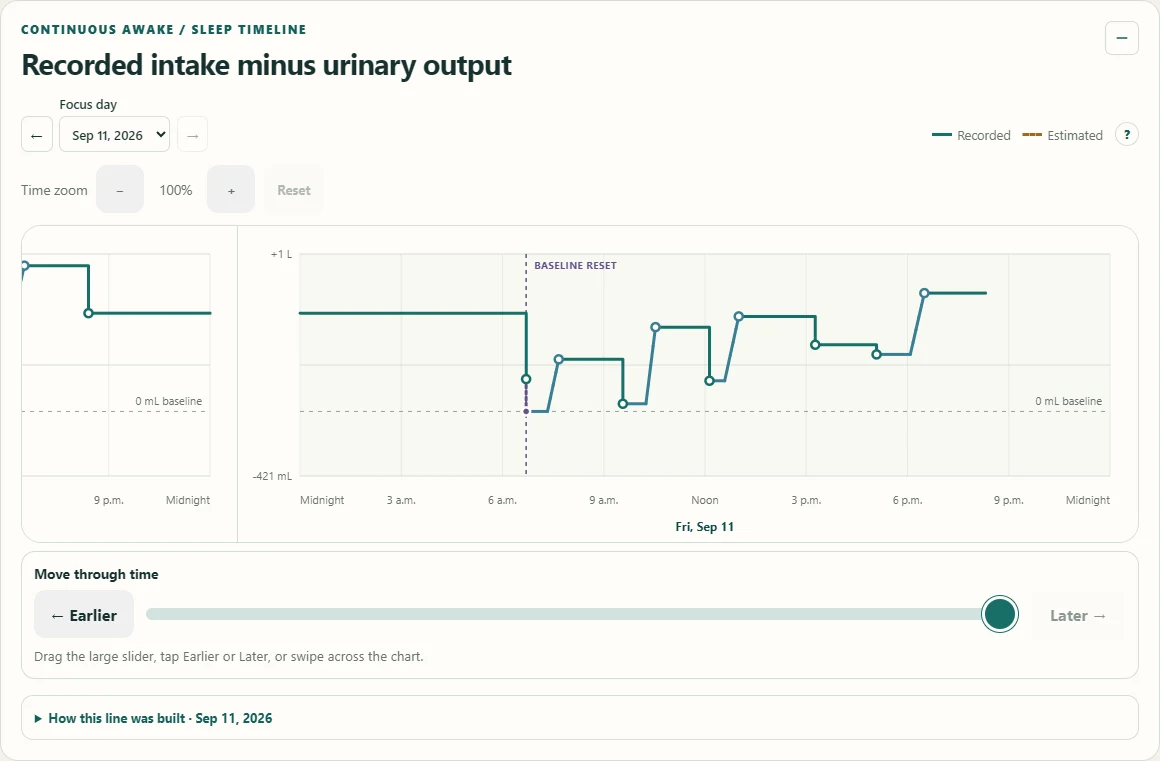
Follow the recorded difference
Give your doctor a view of recorded intake minus output across awake and sleep periods, with estimates identified.
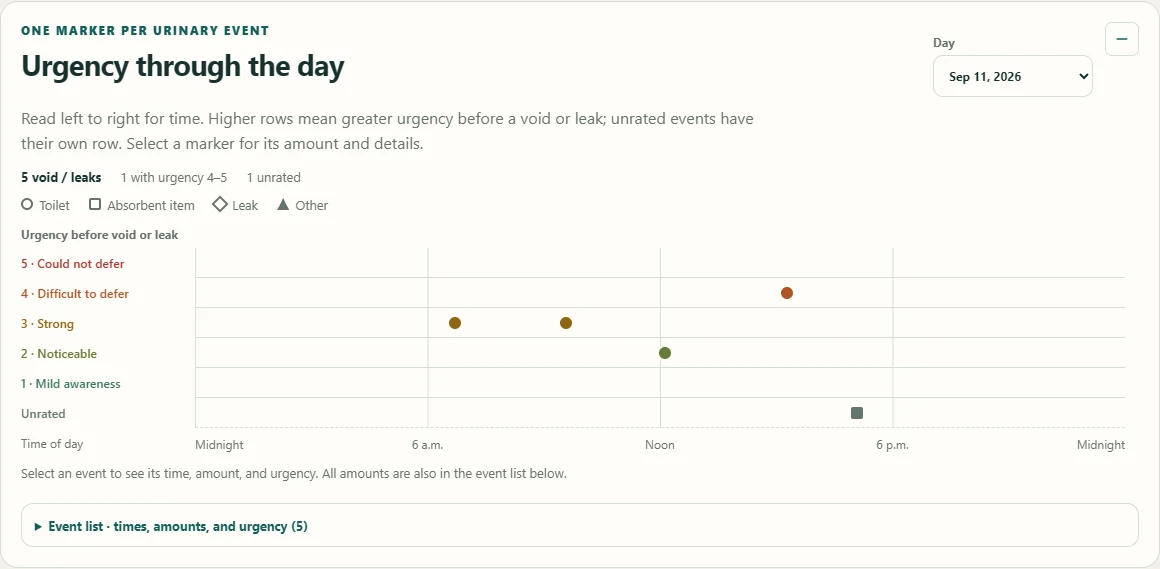
Urgency through the day
See when individual voids and leaks happened and the urgency associated with each event. The event list provides recorded amounts and other details.
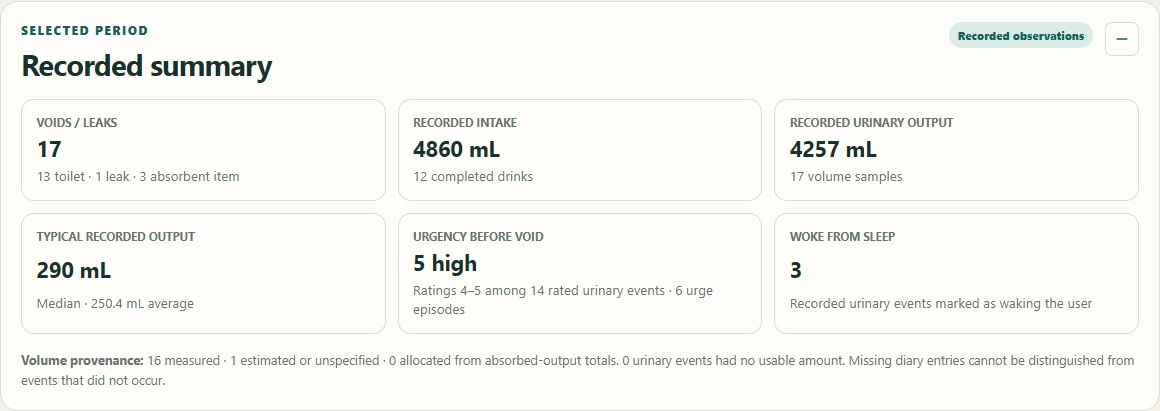
A summary for your appointment
Start with the selected period's totals, typical recorded volumes, urgency, and waking events.
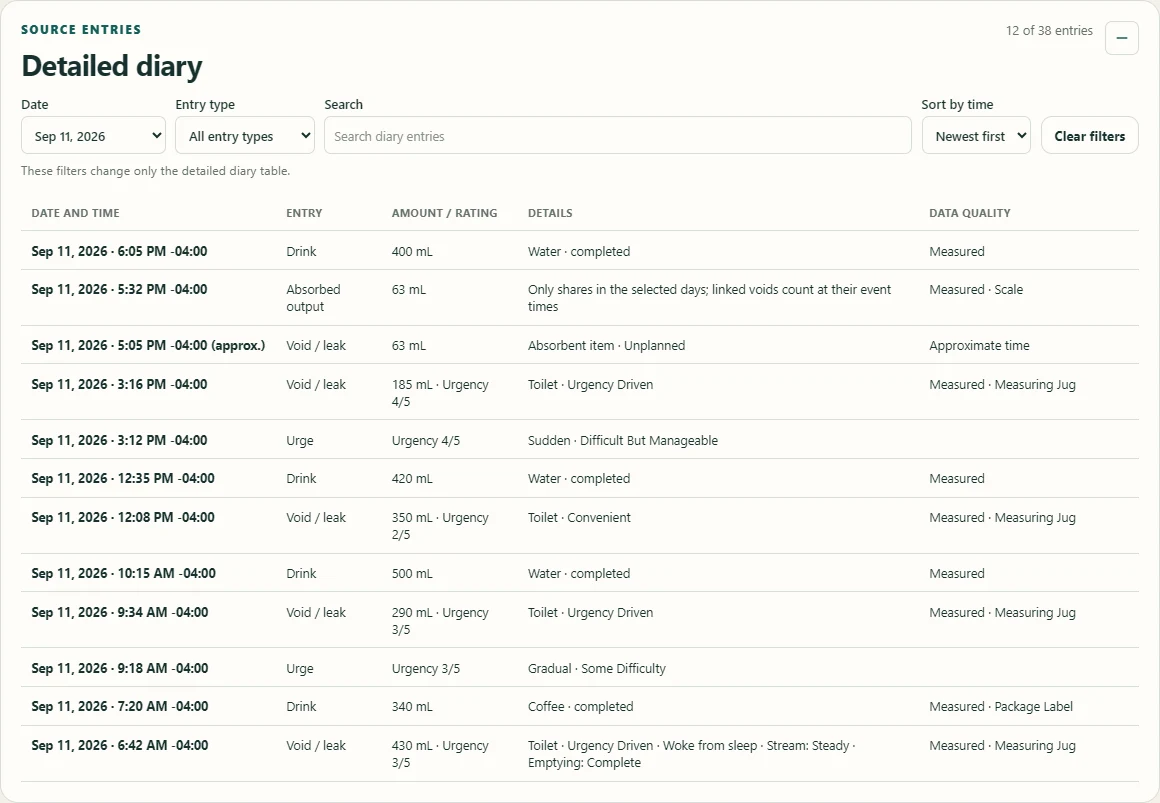
The entries behind the charts
Review the source entries behind the report: times, event types, amounts, and the observations you choose to include.
You choose when and what to share. Read about privacy and storage.